The Automation Guy With a Manual Signup Flow
My day job is lead software developer. On the side, I’m building FiNimbus and providing automation consulting using AI tools. I’ve spent years replacing manual processes at places like Ford Motor Company. I even wrote an article about the cost of slow lead response.
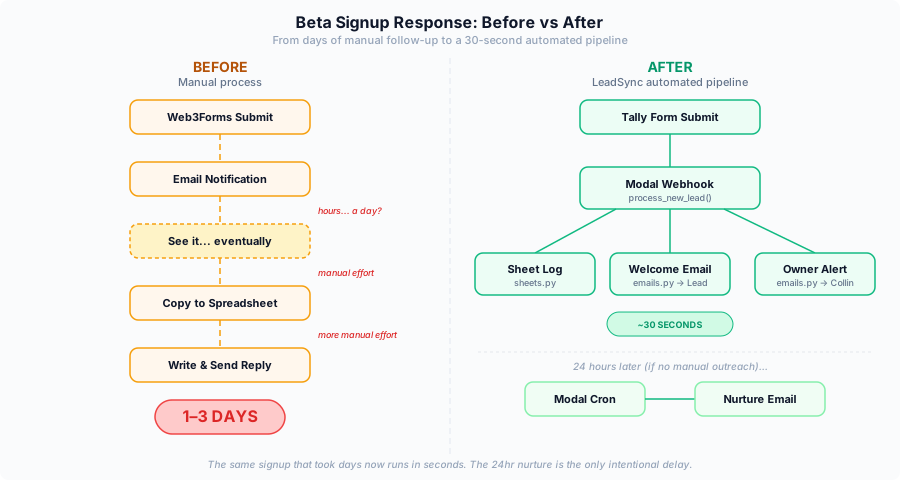
My own beta signup flow? Fully manual. Someone fills out the form, I get an email notification, and I get to it when I get to it. Maybe that evening. Maybe the next day. I’m not sitting there monitoring signups between standups and code reviews.
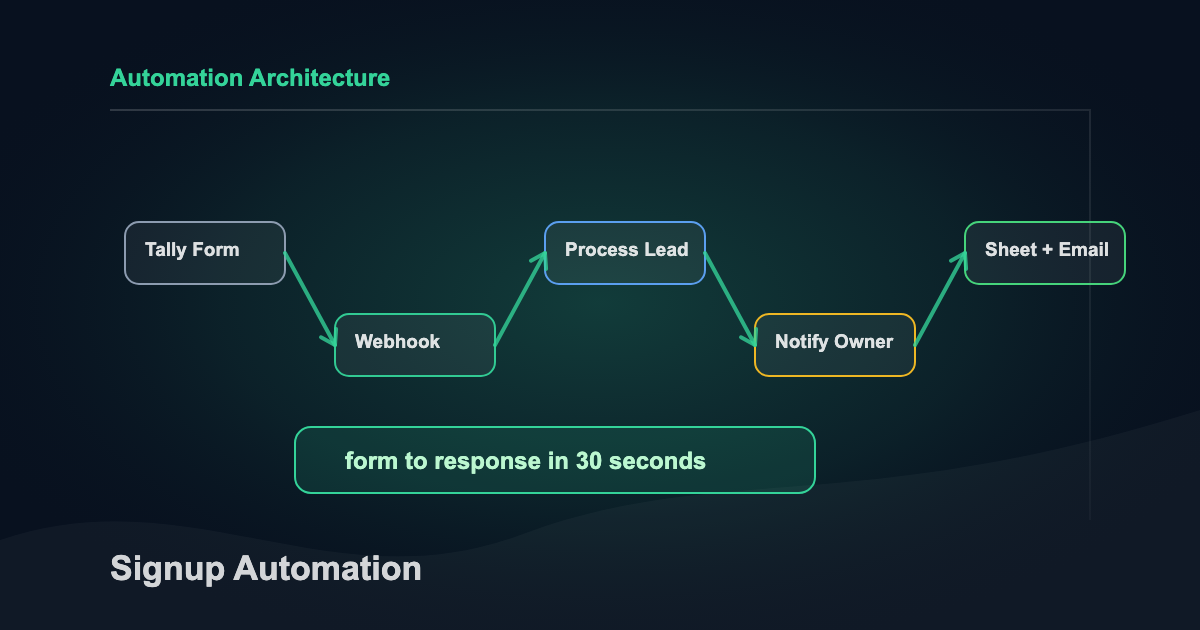
So I fixed it in a few hours on a Sunday while watching the Olympics. Here’s the whole build.
What I Built
LeadSync is the beta signup pipeline for FiNimbus. The whole system does three things:
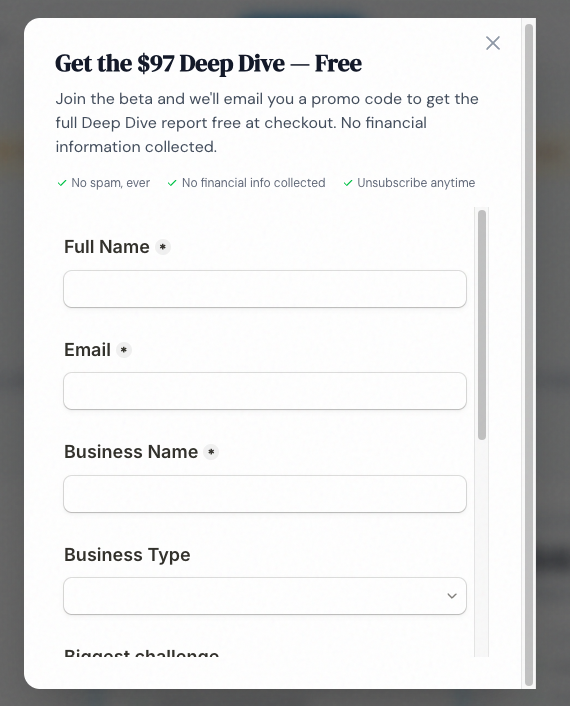
- Someone fills out the beta form on finimbus.com/beta
- Within 30 seconds: their info is logged to a Google Sheet, they get a branded welcome email, and I get a notification with every field they submitted
- 24 hours later: if I haven’t manually reached out, they get a follow-up email asking about their biggest financial pain point
No CRM. No Zapier. No monthly bill.
The Stack
| Component | Tool | What I Considered | Why This |
|---|---|---|---|
| Form | Tally | Typeform, Google Forms | Free, clean embed, webhook support built in |
| Compute | Modal | AWS Lambda, Vercel, Railway | Python-native, one-command deploy, generous free tier |
| Resend | Gmail API, SendGrid, SES | Simple API key auth, free tier covers beta volume, no OAuth headaches | |
| Lead log | Google Sheets | Airtable, Postgres, a real CRM | Free, I can edit rows manually, good enough for under 200 leads |
| Templates | Jinja2 | React Email, MJML | Already in the Python ecosystem, no build step |
| Scheduling | Modal Cron | Separate cron service, Celery | Built into Modal. One decorator, done. |
Total monthly cost: $0. Every tool here has a free tier that covers beta volume without thinking about it.
The decision I’d highlight: Resend over Gmail API. My first instinct was sending emails from my actual Gmail for the personal touch. But Gmail API needs OAuth2 tokens that expire and require refresh logic. In serverless, you don’t have persistent state. Token refresh becomes its own project. Resend hands you an API key, you verify your domain, and emails just send. Ten minutes of setup plus DNS propagation time.
With the stack locked, everything else is execution. Four hours, start to finish.
The Build
Hour 1: Infrastructure and Credentials
Start DNS first. I learned this from years of doing it wrong. Resend needs DKIM and SPF records to verify your sending domain. DNS propagation takes anywhere from 5 minutes to an hour. So the very first thing I did was add the records and let them cook while I worked on everything else.
While DNS was cooking:
- Created a Modal project (
finimbus-leadsync) with a secret store holding 3 keys:RESEND_API_KEY,GOOGLE_SERVICE_ACCOUNT_JSON,GOOGLE_SPREADSHEET_ID - Created a Google service account for Sheets access. This was the single most annoying part of the build. If you’re on a Google Workspace account (not personal Gmail), org policies add extra steps. Enable the Sheets API. Create a service account. Generate a JSON key. Share the spreadsheet with the service account’s email address. Enable the Drive API too, because gspread needs it. None of it is hard, but it’s 15 minutes of clicking through console screens.
- Built the Tally form with 6 fields: name, email, business name, business type, biggest challenge, how they heard about us
By the time credentials were set up, DNS had propagated. Resend domain: verified.
Infrastructure done. Now the part I actually enjoy.
Hour 2: The Core Pipeline
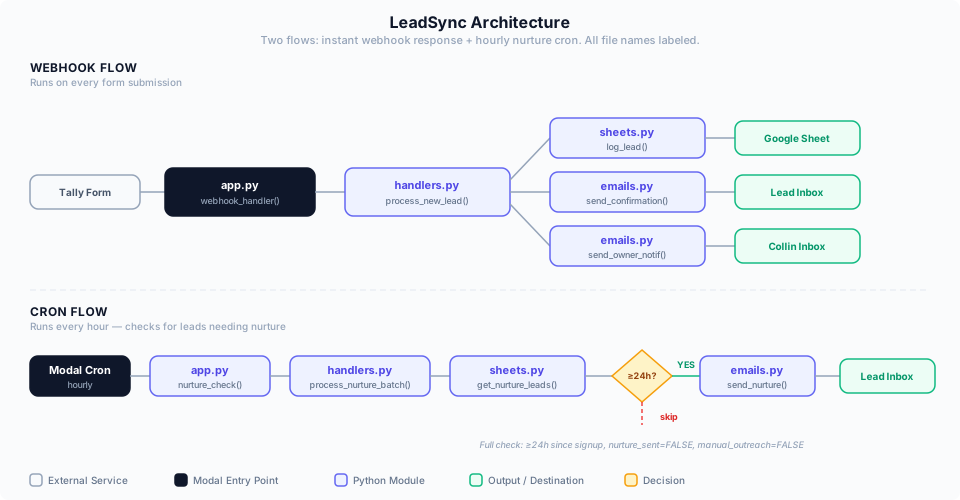
The webhook handler receives a POST from Tally, and the process_new_lead orchestrator runs the full flow:
def process_new_lead(payload, resend_api_key, sa_json, spreadsheet_id):
    result = {"status": "ok", "duplicate": False, "errors": []}

    # 1. Parse Tally's webhook format into clean lead data
    lead_data = parse_tally_payload(payload)

    # 2. Dedup check — skip if they already signed up
    if email_exists(lead_data["email"], sa_json=sa_json, spreadsheet_id=spreadsheet_id):
        return {**result, "duplicate": True, "status": "duplicate"}

    # 3. Log to Google Sheets
    log_lead(lead_data, sa_json=sa_json, spreadsheet_id=spreadsheet_id)

    # 4. Send confirmation email (Finn voice)
    send_confirmation(lead_data, api_key=resend_api_key)
    mark_confirmation_sent(lead_data["email"], ...)

    # 5. Notify me with every form field
    send_owner_notification(lead_data, api_key=resend_api_key)
    mark_owner_notified(lead_data["email"], ...)

    return result
That’s the simplified version. The real one has error handling at every step, and the philosophy there matters: if the Sheet write fails, still send emails. If the confirmation fails, still notify the owner. Each step catches its own exceptions and continues. Better to have a gap in tracking than lose a lead entirely.
One design decision worth stealing: the Tally payload parser uses a config-driven field mapping. Tally sends form data as {key, value} objects where keys are question IDs like question_abc123. A JSON config maps those IDs to friendly names (email, business_name, etc.). Change the form? Update config, not Python.
The pipeline worked. But a pipeline without emails is just a data logger.
Hour 3: Email Templates
Three Jinja2 HTML templates, each written in a different voice.
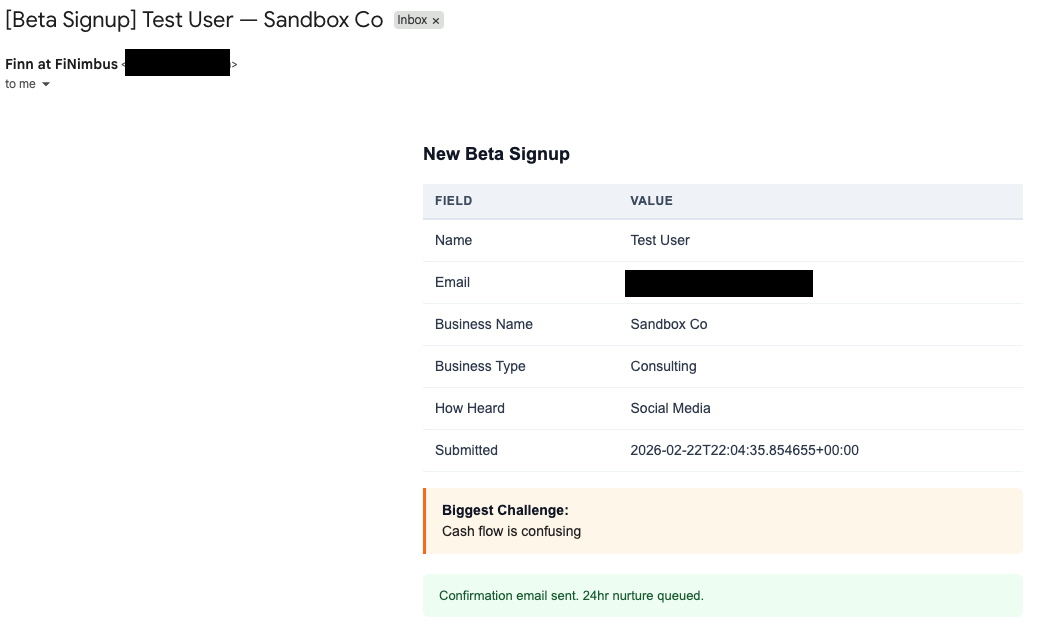
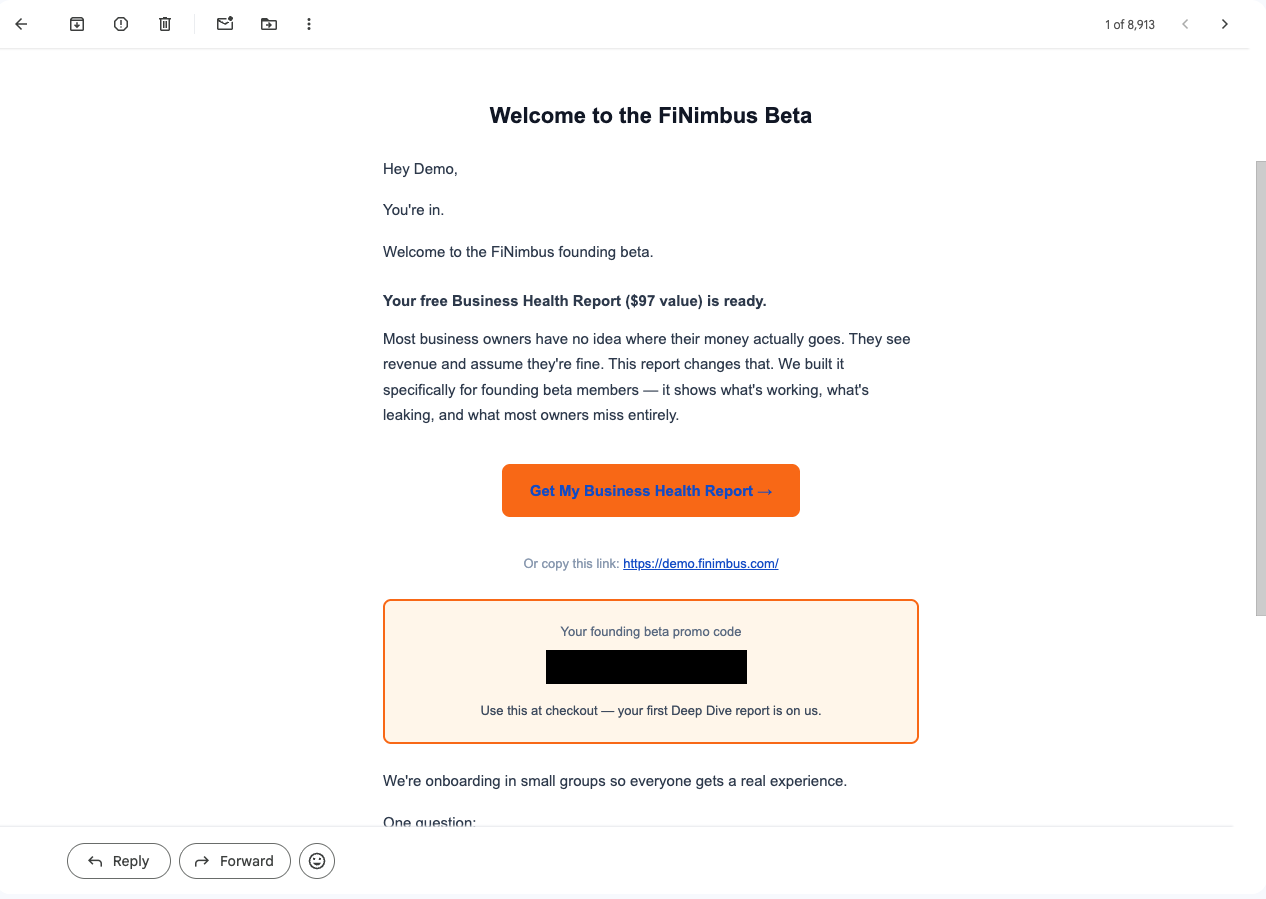
The confirmation email comes from Finn, FiNimbus’s AI CFO persona. It acknowledges the signup, sets expectations on next steps, and slips in one open-ended question: “What’s the single biggest financial question you wish you had an answer to right now?” Most transactional emails end the conversation. This one starts it.
The owner notification sends me a table of every form field: business name, type, biggest challenge, how they found us. I scan it in 10 seconds and decide if I want to reach out personally before the automated nurture kicks in.
The 24-hour nurture fires if I haven’t reached out manually. It comes from me (not Finn), asks what keeps them up at night about their finances, and gives 4 clickable options. Each option is a mailto: link with a pre-filled subject line. Replying takes one tap.
Three templates, three jobs. But they only work if they fire at the right time.
Hour 4: Nurture Cron, Deploy, Go Live
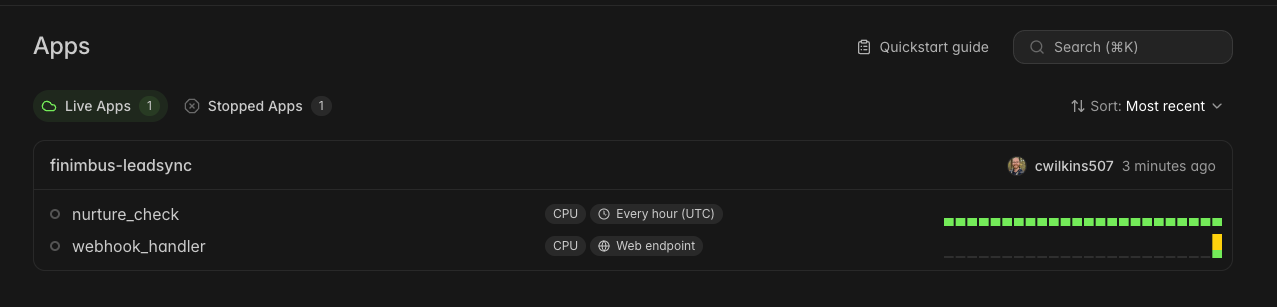
The nurture logic runs on a Modal Cron. One decorator that fires every hour:
@app.function(schedule=modal.Cron("0 * * * *"))
def nurture_check():
    result = process_nurture_batch(
        resend_api_key=os.environ["RESEND_API_KEY"],
        sa_json=os.environ["GOOGLE_SERVICE_ACCOUNT_JSON"],
        spreadsheet_id=os.environ["GOOGLE_SPREADSHEET_ID"],
    )
Every hour, it queries the Sheet for leads where signup was >= 24 hours ago, nurture_sent is FALSE, and manual_outreach is FALSE.
That last flag is the escape hatch. If I’ve already emailed someone personally, I flip manual_outreach to TRUE in the Sheet and the cron skips them. Manual override without touching code.
Deployment is one command: modal deploy execution/leadsync/app.py. Modal returns a webhook URL. I pasted it into Tally’s webhook settings. Done.
One gotcha if you embed Tally in an iframe: form submissions don’t fire page-level analytics events. Your GA4 tracking goes silent. Fix: a postMessage listener that catches Tally’s FormSubmitted event and pushes it to GA4 as a custom event. Six lines of JavaScript. Easy to miss, annoying to debug after the fact.
Then I submitted a test form.
30 seconds later: new row in the Sheet, confirmation email in my test inbox, owner notification in my real inbox. The whole pipeline, working end to end, on a Sunday afternoon.

The Numbers
| Metric | Value |
|---|---|
| Total build time | ~4 hours (one Sunday afternoon) |
| Response latency | ~30 seconds (form submit to emails delivered) |
| Monthly cost | $0 (all free tiers) |
| Lines of code | 913 (763 Python + 150 HTML templates) |
| File count | 9 (6 Python modules + 3 email templates) |
| Dependencies | 5 (modal, resend, jinja2, gspread, google-auth) |
For comparison, a typical off-the-shelf setup (form tool + Zapier for glue + email service) runs $50-100/month at starter tiers. That’s $600-1,200/year for something I built in an afternoon and own completely. The tradeoff is real though: you need to be comfortable writing Python (or prompting an agent on what to do). If you’re not, the off-the-shelf route is the right call. No shame in it.
The $0/month number has a ceiling. Modal’s free tier covers hundreds of webhook calls per month. Resend caps at 3,000 emails/month. Google Sheets starts crawling around 10,000 rows. For a beta with under 200 signups, none of these limits matter.
But the numbers don’t tell the full story. Here’s what actually ate the clock.
What Ate the Most Time
Nothing broke. But two things took longer than the code itself.
Credentials and DNS ate about 45 minutes combined. Google service account creation, Resend domain verification, Modal secret configuration. None of it is intellectually hard. All of it involves clicking through admin consoles, waiting for propagation, copying keys between browser tabs. The kind of work that makes you feel productive without actually shipping anything.
The form itself was the other time sink. Designing 6 fields, picking question types (dropdown for business type, long text for biggest challenge), getting the Tally embed to render cleanly in an iframe. Every field choice shapes the data downstream. You don’t get to redesign this later without breaking your parser config.
The actual Python code took about 2 hours. The other 2 hours were credentials, DNS, and form design. The infrastructure around the code always takes longer than the code. If you’re scoping a build like this, budget half your time for things that aren’t code.
What I’d Do Differently
This is a v1 built for beta volume. It has an expiration date.
Google Sheets won’t survive past ~200 leads. The dedup check reads the entire sheet on every webhook call. Fast enough at 50 rows. Painful at 500. That moves to Postgres or Airtable with proper indexing.
The nurture is too simple. One follow-up at 24 hours. A real sequence would be day 1, day 3, day 7, with different content branching off what they said their biggest challenge was. That’s a v2 problem.
I’d also add Slack notifications (faster triage than email during the day) and build the client-facing version of this pipeline. Same architecture, swap Sheets for their CRM, add custom branding, plug into their email domain. That’s the consulting product.
Ship It
I built this because it was embarrassing not to have it. The automation consultant whose own beta signup was fully manual.
Now every signup gets a response in 30 seconds instead of whenever I remembered to check my inbox. The person who said “I’m not a numbers person” gets a welcome email before they’ve closed the tab. That’s the difference between a lead and a lost opportunity.
If you want to build your own version:
- Start DNS verification first. Do everything else while it propagates.
- Pick a serverless platform with webhook support (Modal, Lambda, Vercel).
- Build the pipeline with independent error handling at every step. If one piece fails, the rest still runs.
- Template your emails with Jinja2. Config-drive your form field mapping so you can change the form without touching Python.
- Deploy, wire up the webhook URL, submit a test form.
The full code is on GitHub: leadsync-demo. Fork it, swap in your own form fields and email templates, deploy with modal deploy. If you hit a snag, open an issue.
For more builds like this, subscribe to the newsletter.