There’s been too much change in AI coding to track it all without turning it into a second job. The conversation has moved from prompt engineering to loop engineering, harness design, and the AI-native software development lifecycle. My team has been doing more of that work inside a large organization, but the lesson that stuck with me came from changing the tool I use outside it.
I made the full switch from Claude to OpenAI’s models near the end of April because I decided Anthropic was no longer a company I wanted to support. I viewed its handling of the Claude Code decline as fraudulent toward consumers: users spent weeks reporting worse performance while Anthropic initially suggested there wasn’t a broad product problem, then acknowledged that its own engineering changes had degraded Claude Code.
Anthropic claims it doesn’t purposely degrade Claude, and the reporting doesn’t establish corporate intent. I viewed the lowered reasoning, caching bug, and 25-word instruction as intentional sabotage and tokenization because the changes produced worse results—and the caching bug also drained customers’ limits faster. That intent is my inference; the underlying product changes are documented by Fortune and VentureBeat.
A separate development reinforced my distrust. On March 9, before the later March and April Claude Code failures, Anthropic launched Code Review for Team and Enterprise customers, priced around $15–$25 per review. It wasn’t a paid remedy for the degradation and it wasn’t aimed at individual Pro or Max subscribers. I still didn’t like the direction: a company selling coding-agent output was also building a separate metered product to inspect that output.
That was the reason I switched. OpenAI’s current model lineup made the decision easier, but the trust break came first. The episode also made the technical point better than another benchmark chart could: the model is only part of the system you’re using.
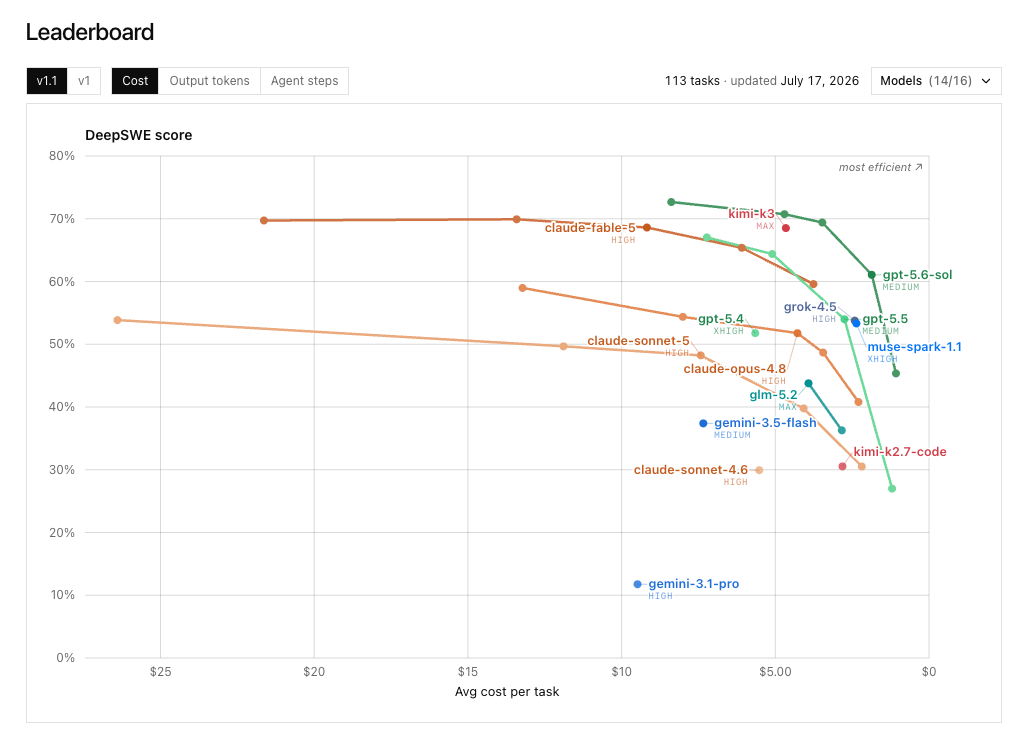
I’m using GPT-5.6 Sol for difficult planning and advisory work, Terra where I want a different tradeoff, and Luna for routine execution. The exact order will change again (probably before this article gets old). That’s the reason I no longer want my workflow welded to one model vendor.
You can see the current cost-versus-performance comparison on the DeepSWE leaderboard.
I found OMP at the right time
Maybe your organization has already committed to Claude Code licenses. Maybe your workflows depend on its hooks, subagents, and skill library. I assumed leaving that setup meant rebuilding most of the useful parts myself.
Then I came across a conversation about Oh My Pi and tried it.
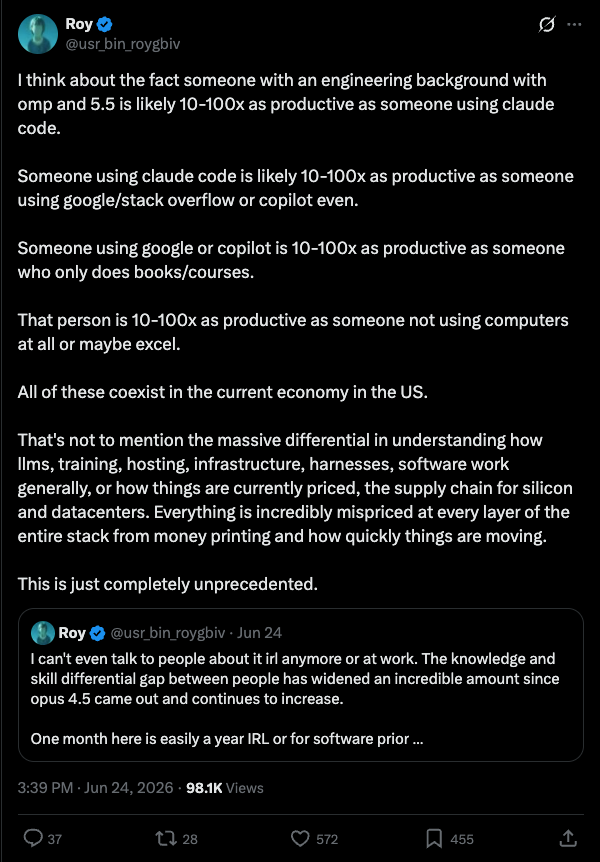
OMP is an open-source fork of Pi, rewritten as a coding-first terminal agent. It has persistent sessions, subagents, plan mode, slash commands, extensions, LSP, debugging support, browser control, and hash-anchored edits. The project is MIT licensed, written in TypeScript with a native Rust engine, and available on GitHub. It has more than 18,000 stars as I write this.
I was skeptical at first. The website looks like someone asked an image model to design a cyberpunk terminal after three energy drinks, and parts of the documentation still assume you’ll figure it out. However, the underlying product is much better than that first impression.
The harness changes the result
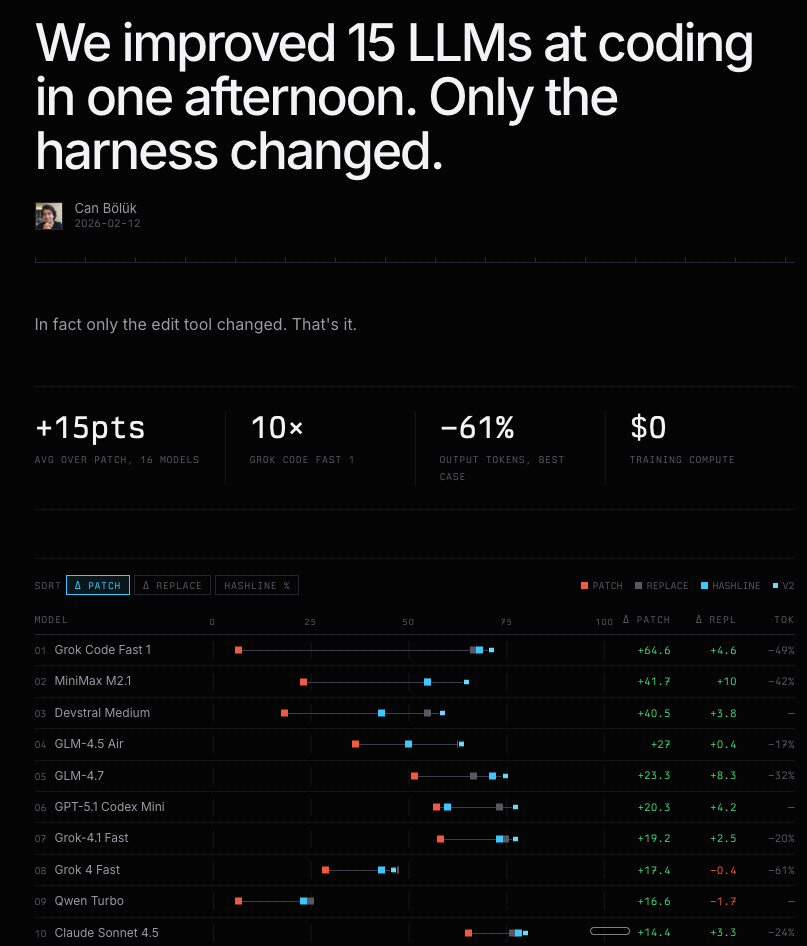
A good harness decides what context the model sees, which tools it can use, how it edits files, when it delegates, and what counts as finished. Those decisions can change cost and performance without changing the model.
Can Bölük made this case in February in “The Harness Problem”. One of the examples showed a large performance and token-efficiency improvement from changing the edit tool alone. Same model, better loop.
OMP takes that idea seriously. Its system prompt doesn’t tell the model to be vaguely helpful. It tells the model to act like a terse, trusted staff engineer making load-bearing production changes. That means investigating before editing, using specialized tools instead of crude shell commands, following repository conventions, parallelizing genuinely independent work, implementing the complete request, and verifying the behavior before claiming it’s done.
The details are unusually opinionated:
- Research before editing. Locate the target, read the relevant section, find references, and reuse the codebase’s existing patterns.
- Use the right tool. File reads, search, LSP, AST rewrites, browser automation, and shell commands each have a defined job.
- Delegate only when it creates real parallelism. A parent agent owns the plan and shared contracts. Spawning one subagent and waiting for it is just slower solo work with a lossy handoff.
- Verify the changed behavior. Reproduce a bug, drive a UI, run the experiment, or exercise the feature through its real path. A plausible patch isn’t proof.
- Finish the request. No placeholders, quiet scope cuts, fake fallbacks, or “MVP” labels pasted over unfinished work.
At a minimum, read OMP’s system prompt. Even if you never install the tool, it’s a useful operating manual for getting better work from coding agents.
It inherited more of my setup than I expected
My bigger concern was migration. I already had rules, skills, MCP servers, and other pieces spread across agent tools. OMP found the existing configuration on first run. It can read formats from Claude Code, Codex, Cursor, Windsurf, Gemini, Cline, GitHub Copilot, and VS Code without making you translate everything into another private schema.
OMP also supports more than 40 model providers. Start it, run /login, and attach a supported subscription or API provider. You can route different models to roles such as default execution, planning, review, advice, or design. My current configuration uses stronger models where judgment is expensive and faster models where the work is mechanical.
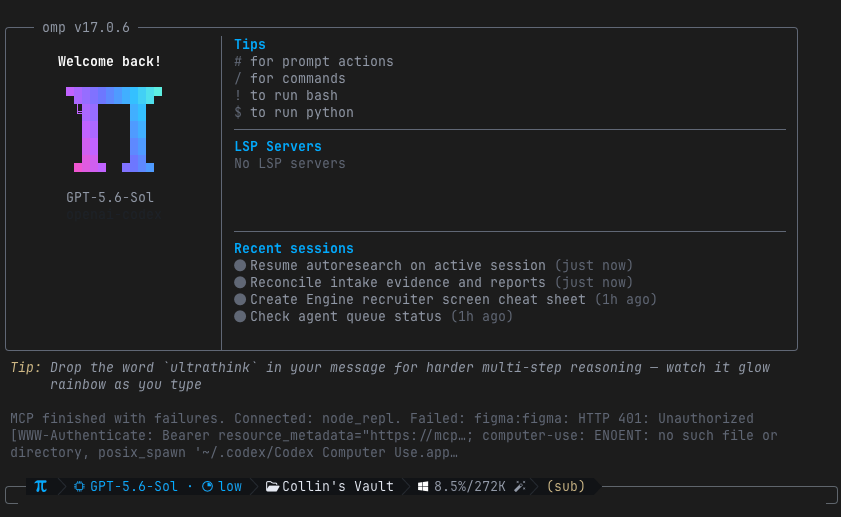
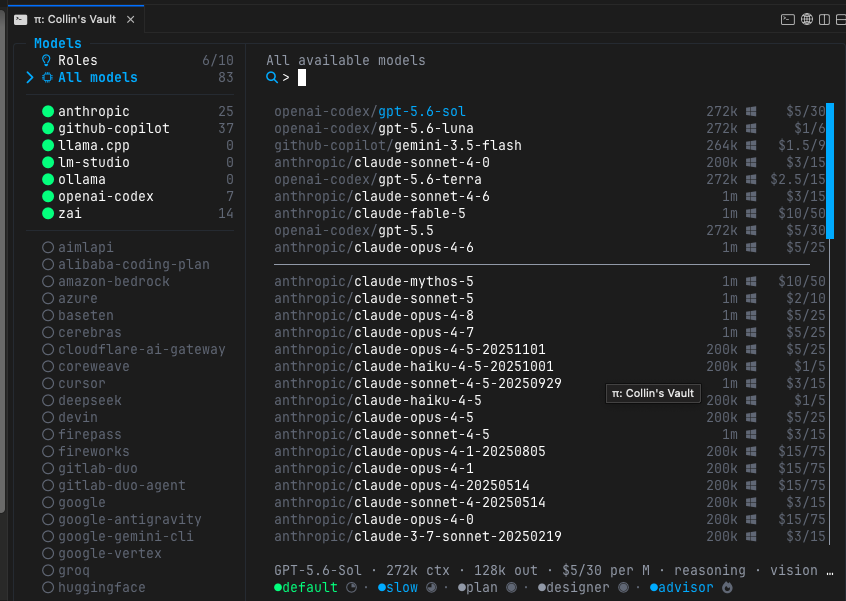
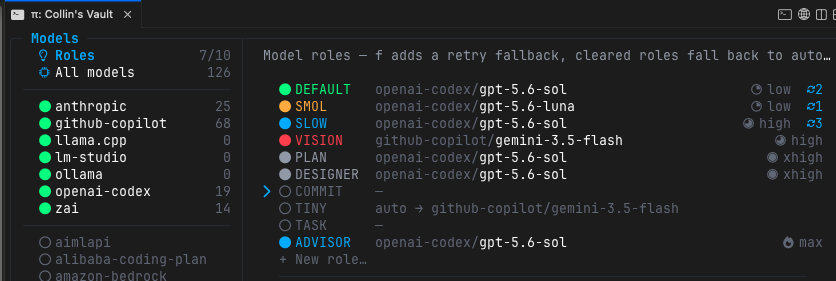
The model race will keep moving. Changing one role assignment is easier than rebuilding the way I work every time a leaderboard flips.
My MacBook is the server now
OMP is also the tool that made my remote setup useful. I can run a coding agent from my phone, but none of the code or compute lives there. OMP runs on my MacBook. Tailscale gives the Mac and my iPhone a private network, Termius gives me an SSH terminal, and tmux keeps the session alive when the phone disconnects.
The result is simple: I can check an agent, answer a question, or dump an idea into a live project while I’m away from my desk. The repository stays on my Mac, there’s no cloud copy to synchronize, and I didn’t open port 22 on my router.
The setup takes four steps:
- Install Tailscale on the Mac and phone, then sign both into the same tailnet.
- On the Mac, open System Settings → General → Sharing → Remote Login. Turn it on, choose Only these users, and add your account.
- In Termius, create a host using the Mac’s stable Tailscale
100.x.y.zaddress or MagicDNS name, your Mac username, and port22. Use an SSH key if you have one. - Install
tmuxso a dropped phone connection doesn’t take the agent with it.
brew install tmux
tmux new -s omp
omp
Detach with Ctrl-b, then d. Reconnect later and run:
tmux attach -t ompThe Mac still has to remain awake, online, and connected to Tailscale. If it sleeps, your tiny remote command center becomes a black rectangle. A caffeinate command or the right power settings fixes that.
The tradeoff is the interface
OMP doesn’t give you the polished desktop experience of a dedicated coding app. It’s a terminal tool. That will be the stopping point for some people.
For me, Ghostty and CMUX cover most of the gap. I can split terminals, keep a browser beside the agent, and see exactly what is running. If you want a custom GUI badly enough, OMP exposes an SDK and RPC modes, but I wouldn’t start there. Use the terminal first. You may find you don’t need another layer.
The installation is one command:
curl -fsSL https://omp.sh/install | sh
omp
Run /login, let OMP discover the rules and skills already on your machine, and give it a real task in a repository you know. Don’t judge it from a generated landing page or a toy prompt. Watch how it researches, edits, delegates, and verifies.
The models are already good enough to do impressive work. OMP gives them a better place to work from. Give it a shot. I think you’ll like what you find.