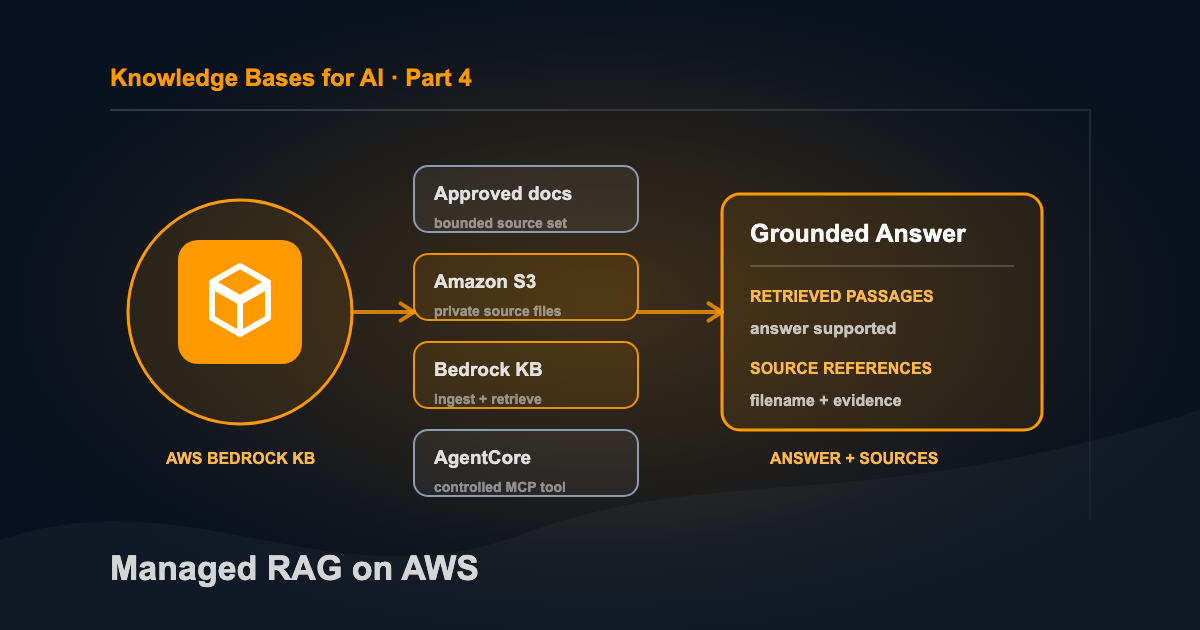
A company brain doesn’t need to be complicated. At the minimum, you need a file system your AI can access and an LLM that can read what it finds. This is Part 4 of a four-part series covering GitHub, Microsoft 365 Copilot with OneNote, Obsidian, and a managed RAG system on AWS.
Direct file search starts to break when the company needs to ingest several systems, serve multiple applications, separate access tiers, measure retrieval quality, or expose the same knowledge through a controlled API. Managed RAG adds the infrastructure for ingestion, retrieval, permissions, and evaluation.
I gave a presentation at work about building a private knowledge base on AWS. The demo worked and showed me exactly where retrieval ends and evidence begins.
A vector search can return the closest passages and still fail to answer the question. A citation can point to a real file and still support a weak conclusion. Uploading a document doesn’t train the model, and connecting a retrieval tool through MCP doesn’t make the underlying content correct.
Those distinctions are what I took from the project. The infrastructure comes after the simpler question: what does this knowledge system need to prove?
If direct file search might be enough, start with the smaller GitHub version and its working example.
The Architecture I Built
The experimental path looked like this:
Approved documents
      ↓
Amazon S3
      ↓ ingestion and synchronization
Amazon Bedrock Managed Knowledge Base
      ↓ retrieval
Amazon Bedrock AgentCore Gateway (optional)
      ↓ MCP
MCP-capable agent or client
Each box has a narrower job than its name suggests.
- S3 stores the source files. It is not the knowledge base.
- The Managed Knowledge Base parses, chunks, indexes, and retrieves content. AWS manages the vector-store infrastructure.
- AgentCore Gateway exposes retrieval as a tool. It can make that tool discoverable to an MCP client.
- The agent turns retrieved passages into an answer. That answer still needs to stay inside the evidence it received.
The shortest version worth building stops after the Managed Knowledge Base. Prove retrieval there first. The Gateway adds a controlled integration boundary, but it also adds IAM, authentication, another service role, and another place to debug.
These services only provide the infrastructure. The company still has to approve the documents, control access, and decide what happens when the evidence is insufficient.
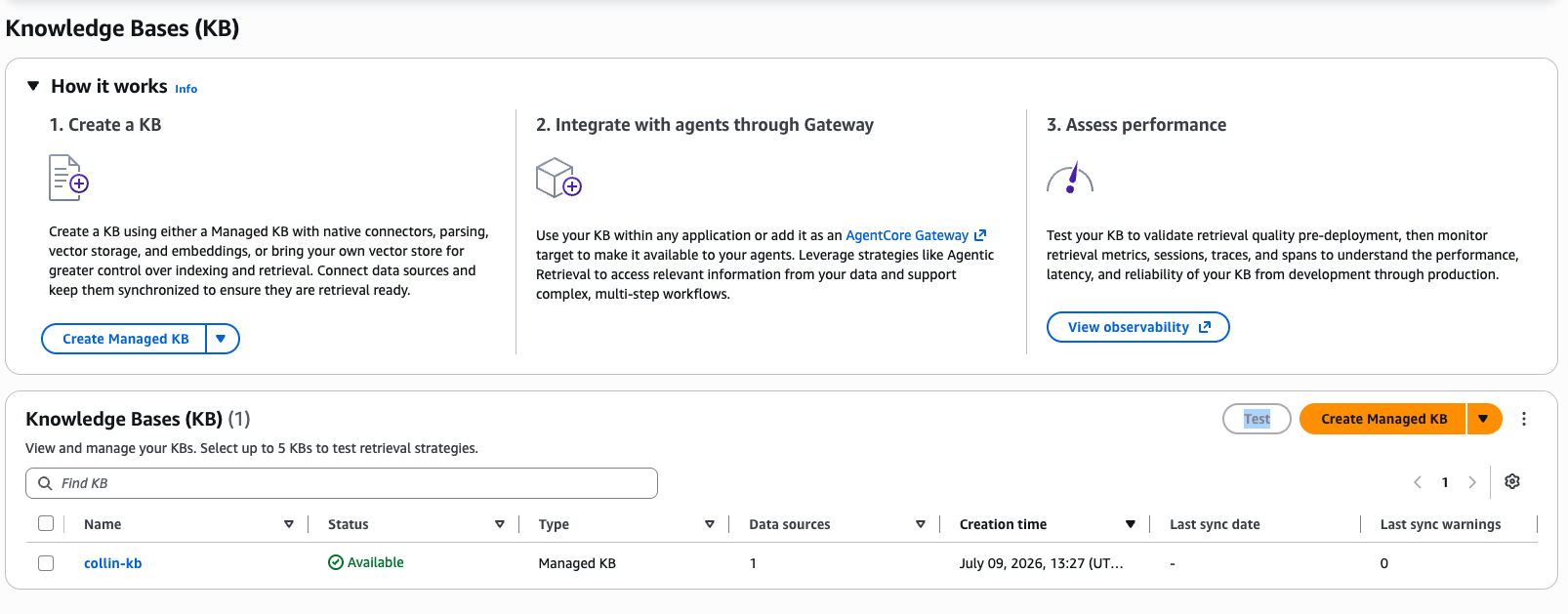
The Bedrock console presents creation, agent integration, and retrieval assessment as separate stages. My collin-kb experiment appears as an available managed knowledge base.
Four Terms That Get Blurred Together
I use “knowledge space” as an umbrella term for a bounded collection of content, access rules, and retrieval capabilities. It is not the name of one AWS service.
An embedding is a numerical representation of a passage. Text with related meaning can end up near each other even when it does not share the same keywords.
A vector store is the index used to find those nearby passages.
Retrieval-augmented generation, or RAG, is the larger pattern: retrieve relevant passages, place them in the model’s context, and ask the model to answer from that evidence.
Model Context Protocol, or MCP, works at a different layer. It gives an agent a standard way to discover and call tools or resources.
The line I used in the presentation was:
RAG retrieves the knowledge. MCP connects the agent.
You can build RAG without MCP. You can also expose a non-RAG tool through MCP. They work well together, but they are not two names for the same thing.
Step 1: Start With a Deliberately Small Corpus
My first mistake in projects like this is usually ambition. It’s tempting to upload every wiki export and see what happens.
Don’t start by ingesting the entire company. Start with one workflow, one approved corpus, and three questions you can check by hand. That gives you a meaningful test before you have a large index.
I prefer a synthetic validation corpus because it avoids publishing or accidentally indexing private material. Three files are enough:
architecture.mdexplains how the fictional system works.onboarding.mdlists the first validation steps.operations.mddefines a cleanup deadline.
Now you can ask one question with an exact answer, one that requires more than one file, and one that the corpus cannot answer. Those three queries become a crude but honest evaluation set.
For internal material, approval needs to happen before upload. Technical access to a file does not automatically make it appropriate to ingest. Secrets, credentials, customer data, and differently restricted documents should not be swept into one index for convenience.
Step 2: Treat S3 as the Source, Not the Search Engine
Create a private general-purpose S3 bucket in the same AWS Region as the knowledge base. My experiment used us-east-1.
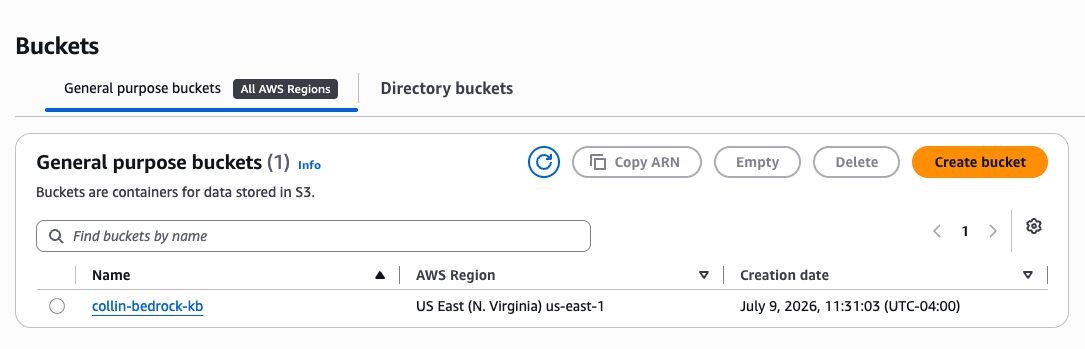
The experiment used a dedicated S3 bucket in the same us-east-1 Region as the knowledge base.
For a new setup, I would keep the source under a dedicated prefix:
s3://your-private-bucket/knowledge-space-validation/The basic controls are boring for a reason:
- Block public access.
- Use bucket-owner-enforced object ownership.
- Keep default encryption enabled.
- Use an approved KMS key when the data classification requires it.
- Put only the intended corpus under the data-source prefix.
A dedicated prefix narrows the ingestion boundary. My first captured configuration allowed the connector to scan the whole bucket. It worked, but a bounded prefix is easier to reason about and harder to misuse.
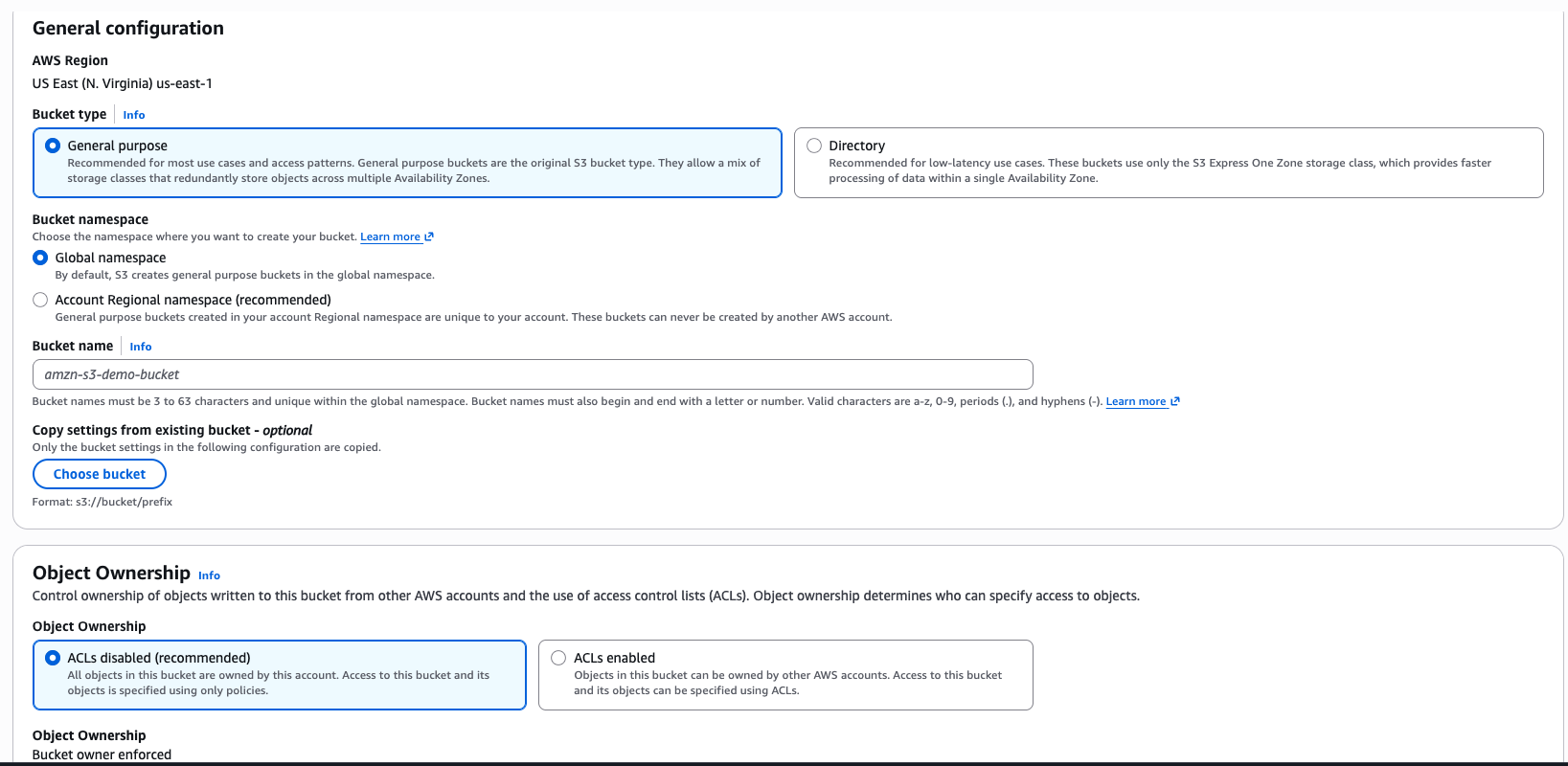
The captured bucket configuration used the general-purpose bucket type and bucket-owner-enforced object ownership with ACLs disabled.
Step 3: Create the Managed Knowledge Base
In the current AWS console, the path is Amazon Bedrock AgentCore → Built-in tools → Knowledge Base. Choose the managed experience.
According to the AWS managed knowledge-base documentation, the default managed option handles storage, indexing, retrieval infrastructure, and the embedding model. A custom embedding model is available, but the choice cannot be changed on an existing knowledge base. Switching later requires creating another one.
That default was the right choice for my experiment. I was testing retrieval behavior, not comparing embedding models.
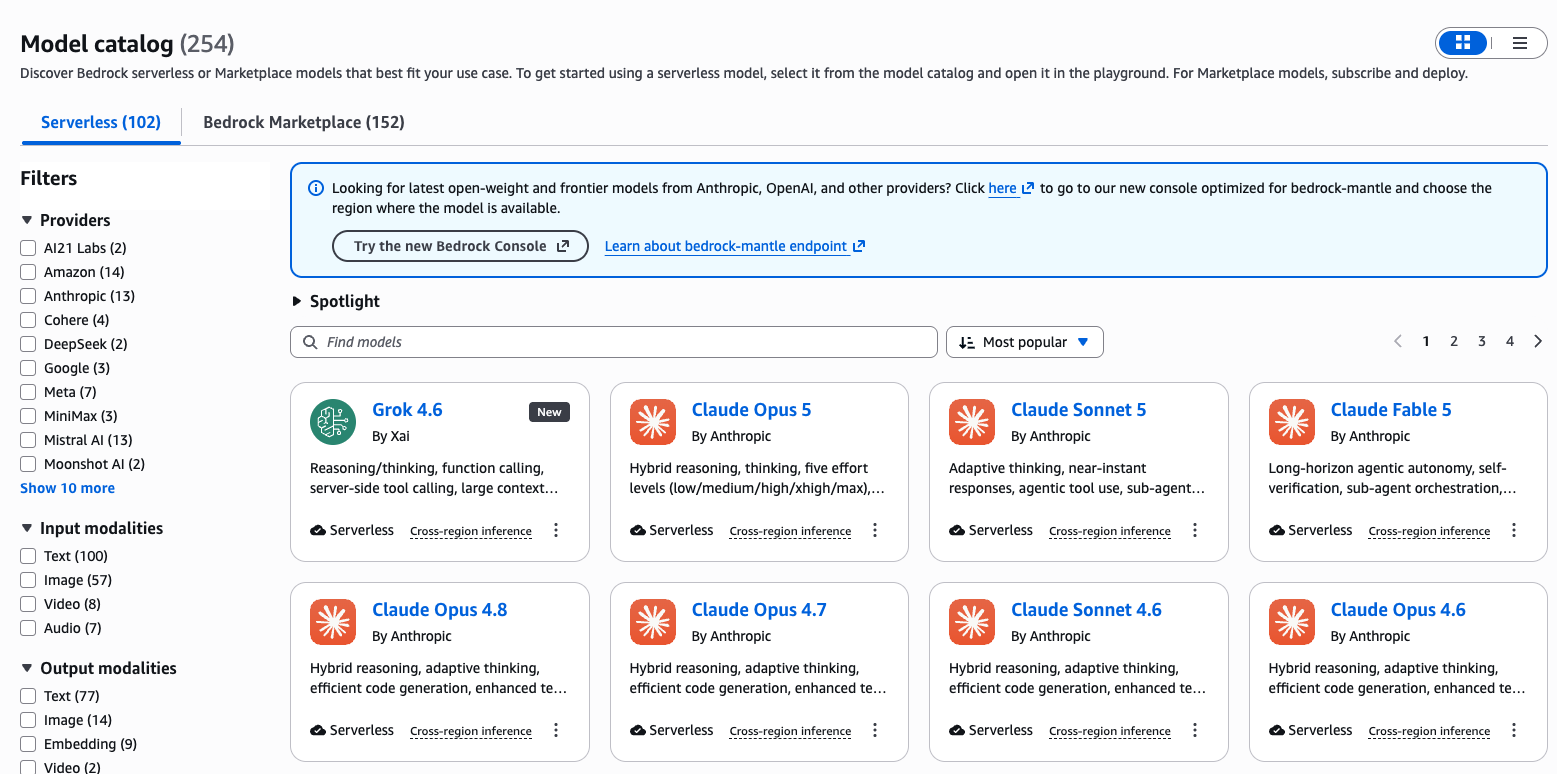
The Bedrock model catalog is broader than the embedding choice attached to a knowledge base. Retrieval configuration and answer-generation model selection are separate decisions.
The managed setup also supports more connectors than S3, including Confluence, SharePoint, Google Drive, OneDrive, a web crawler, and custom sources. That makes the service broader than this walkthrough, but it does not change the core evaluation problem.
Step 4: Choose Ingestion Settings Before You Have Data to Blame
Connect the S3 bucket or prefix as the data source. The console asks about parsing, chunking, visual extraction, deletion behavior, and service roles.
Chunking deserves more attention than it usually gets. Retrieval returns chunks, not an abstract understanding of the original document. Chunks that are too small lose context. Chunks that are too large bring irrelevant material along with the passage that answers the question.
AWS currently offers default fixed-size behavior, configurable fixed-size chunking, and no chunking for pre-processed documents. Some ingestion choices cannot be changed later. Record the decision before creating the data source so a disappointing result does not turn into guesswork.
The same applies to deletion behavior. Decide whether deleting a source should remove its indexed content, and understand what happens to managed resources when the knowledge base itself is deleted.
Step 5: Synchronize, Then Wait
Uploading a file to S3 does not update retrieval immediately.
Start an ingestion job and wait for it to complete. Synchronization is asynchronous. A later sync processes added, modified, and deleted source content according to the configured policy.
That delay creates an operational risk. If someone updates a runbook and asks the knowledge base a question thirty seconds later, the old answer may still be the indexed answer. A production system needs to expose ingestion state rather than pretending the source and index are always identical.
Capture the knowledge-base ID, data-source ID, Region, ingestion status, exact test queries, and returned filenames. Otherwise a successful console test becomes a memory instead of evidence.
Step 6: Test Retrieval Before Generating an Answer
My minimum evaluation has three query types.
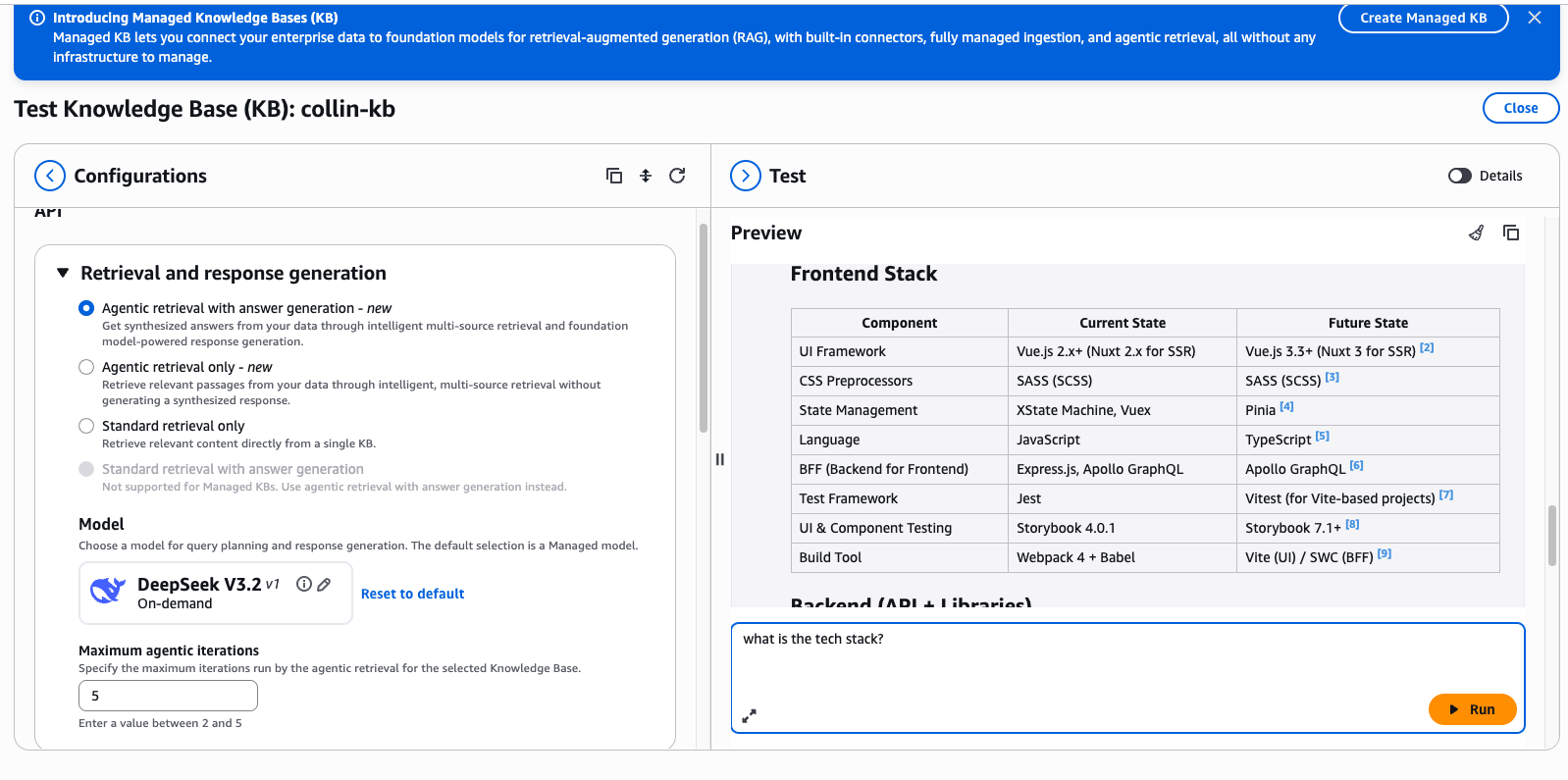
The managed test interface exposes retrieval mode, response-generation model, iteration limit, returned answer, and source citations in one place.
Known answer
Within how many hours should the Orion sandbox resources be removed after validation?
Expected result: a passage from operations.md supporting “48 hours.”
Multi-source answer
Describe the Orion knowledge flow and the first validation steps.
Expected result: relevant passages from both architecture.md and onboarding.md.
Deliberate absence
What is Orion’s approved production procedure for quantum-resistant encryption in 2027?
Expected result: no source supports a procedure. The system should say that the answer is not present.
The third query catches the most dangerous misunderstanding about vector retrieval. A nearest-neighbor search usually returns the nearest passages it can find. “Nearest” does not mean “answers the question.” An unrelated passage with a score is not permission to invent a policy.
The caller must evaluate whether the returned material supports the requested claim. I test retrieval directly before generating an answer so I can inspect the passages instead of judging the polish of the final response.
Step 7: Add AgentCore Gateway Only After Retrieval Works
Once the core retrieval behavior is reliable, AgentCore Gateway can expose it to agents.
AWS provides a native connector for Managed Knowledge Bases. The AgentCore Gateway documentation describes two tools:
Retrieveperforms a single hybrid search and returns relevant passages with source references.AgenticRetrieveStreamcan plan multiple retrieval steps and return a synthesized, citation-backed response.
An MCP client discovers the available tool with tools/list and invokes it with tools/call. The knowledge-base identifier can be bound by the administrator, so the agent supplies the query rather than choosing an arbitrary index.
That binding is an important security property, not a convenience. The agent should not be able to swap in another knowledge base merely by changing a tool argument.
IAM Is Part of the Architecture
The human setting up the experiment, the knowledge-base service, the Gateway, and the calling client do not need to be the same identity.
Treat them as separate boundaries:
- The human SSO identity creates and configures approved resources.
- The knowledge-base service role reads the configured data source and supports ingestion.
- The Gateway service role retrieves from the bound knowledge base.
- The client identity invokes the Gateway.
For a Retrieve target, AWS documents permissions such as bedrock:GetKnowledgeBase and bedrock:Retrieve for the Gateway role, while the caller needs bedrock-agentcore:InvokeGateway on the Gateway. The exact policies should come from current AWS documentation and your organization’s approved permission model, not from copying an administrator policy out of a proof of concept.
My demo used IAM-based inbound authorization. The MCP HTTP requests were signed with SigV4 through the normal AWS credential chain. Pasting long-lived AWS credentials into a generic inspector would have been easier to demo and much worse to teach.
What the Working Demo Proved
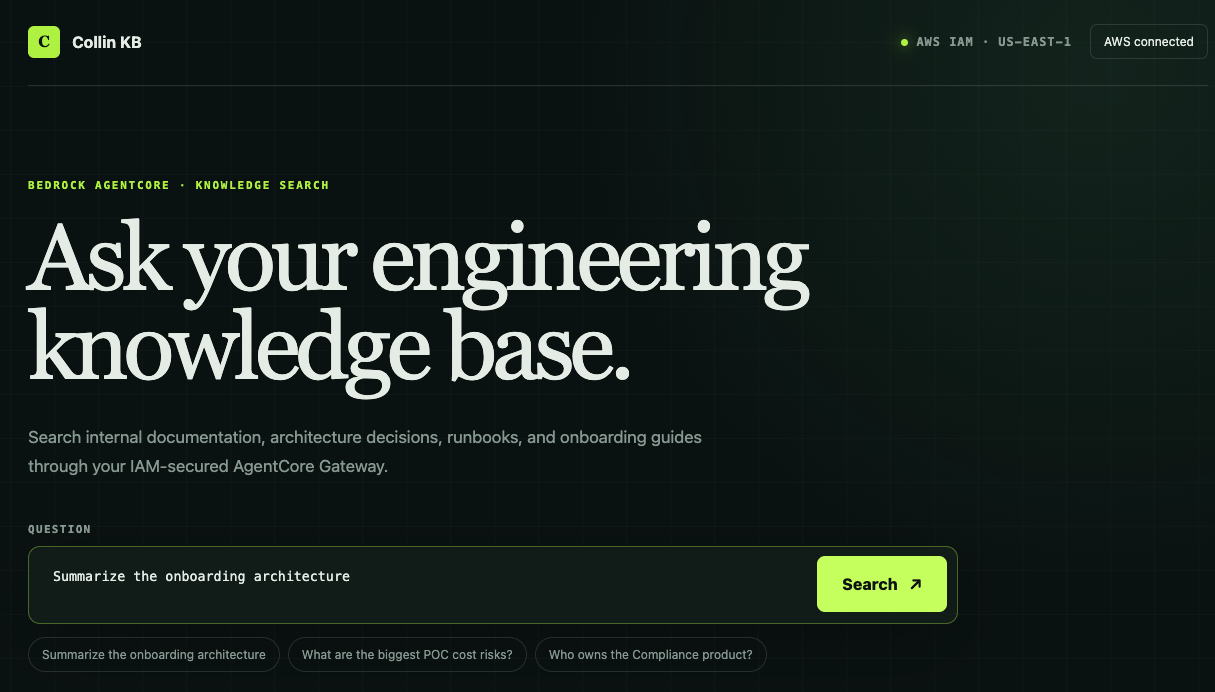
The custom client signed an IAM-authenticated request and sent the question through the AgentCore Gateway.
The custom demo client asked the engineering knowledge base a question, displayed the retrieved passages, and preserved recognizable source filenames. That was enough to prove the path:
question → signed MCP request → Gateway → Managed Knowledge Base → passages + sources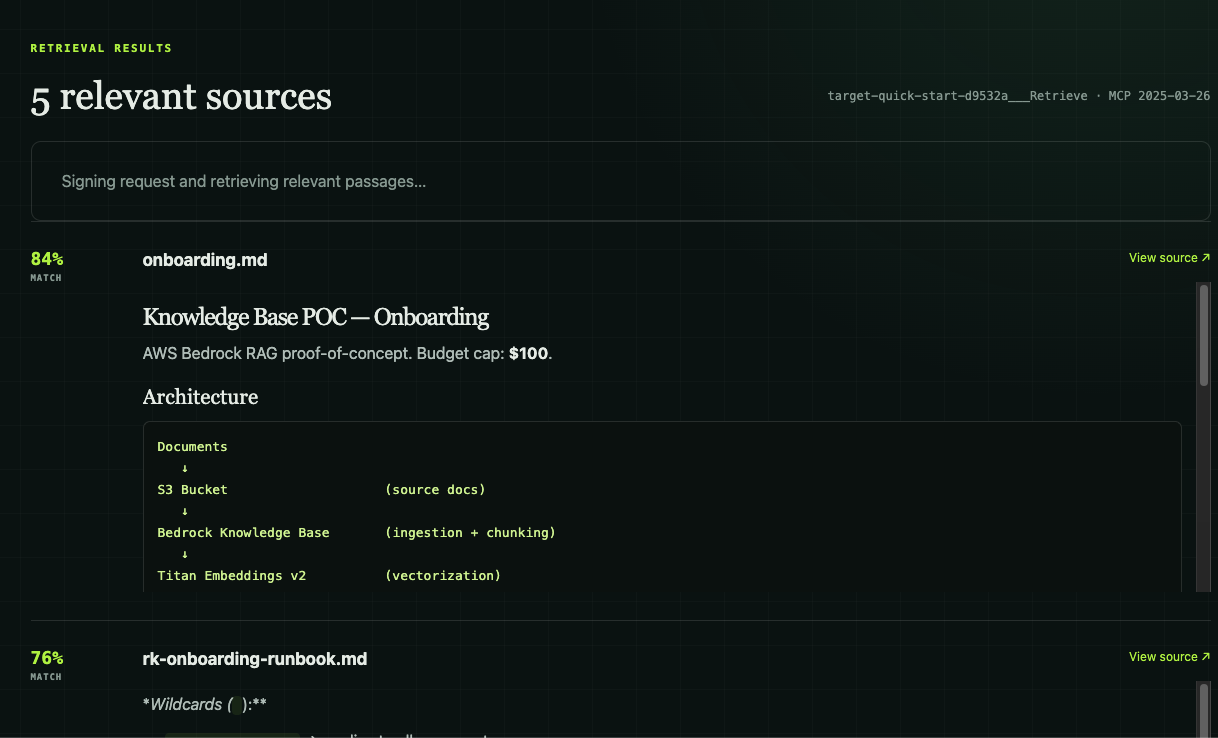
The result view preserved match scores, recognizable filenames, and retrieved passages so the evidence could be inspected separately from the final answer.
The demo proved the retrieval path, not that every generated answer would be correct, the corpus was complete, or document-level authorization carried over from the original wiki.
The Production Gap
The AWS services can be part of a production architecture. My individual setup was still an experiment.
A shared implementation needs decisions about:
- ownership and support
- funding and cost controls
- source approval and document lifecycle
- access design for differently restricted content
- ingestion monitoring and stale-index visibility
- retrieval evaluation and regression tests
- logging, incident response, and deletion
- prompt injection inside retrieved documents
- tool permissions after retrieval
Citations help with traceability. They do not replace those controls, and they do not prove the cited passage supports the conclusion.
These controls sit around the retrieval service. Ownership maintains memory, source approval determines what becomes company knowledge, and access design limits who can retrieve it. Evaluation checks the results. Reviewed corrections improve the system without turning one answer into unapproved policy.
Prompt injection is a good example. A document can contain instructions aimed at the model rather than information for the reader. A knowledge base does not automatically distinguish the two. Controlled ingestion, document trust policies, least-privilege tools, and adversarial testing belong in the production design.
Cleanup Is More Than Emptying the Bucket
Managed services are easy to create and easy to forget.
After an experiment, remove unneeded Gateway targets, Gateways, knowledge bases, indexed data, source objects, logs, and related managed resources. Verify that deletion completed and recurring charges stopped. Deleting the S3 files alone does not guarantee that the index or every managed resource disappeared.
I would also record resource IDs before cleanup. That feels backward until a deletion is partial and there is nothing left in the console view to identify what still exists.
When This Level Is Worth It
Use a managed knowledge base when you need repeatable ingestion, semantic retrieval over a collection that has outgrown direct file search, shared access, managed connectors, or measurable retrieval behavior.
Skip it when an agent can already search a small repository or Markdown vault and find the right answer. Infrastructure should arrive because the requirements changed, not because “vector database” sounds more serious than “folder.”
My preferred progression is:
- Put approved knowledge in files AI can read.
- Give every agent a map and a source hierarchy.
- Route reviewed corrections back into shared memory, policies, skills, and workers.
- Add managed retrieval only when access, ingestion, integration, or evaluation requires it.
Managed RAG doesn’t replace the simpler company brain. It adds infrastructure when direct file access can no longer meet those requirements.
Your team is already teaching AI how the company works. The system becomes valuable when those lessons stop disappearing with the chat.